
Features
Everything Arca's inventory and sales system does
Run your inventory, log your sales and know what you actually made. Right in the browser on your computer, tablet or phone, with nothing to install.

Inventory
Know your stock and what every item cost you.
What each product cost you
Every purchase updates the average cost, and the item sells at that cost. That's the number your profit is measured against.
Every store and every warehouse
Each one keeps its own stock and its own cost. See them separately or all together.
Transfers between stores
Move merchandise without throwing off what your inventory is worth. Two linked entries, one on each side.
Adjustments with a reason
Count, shrinkage or breakage. You enter what's really there and Arca works out the difference.
Minimums and a purchase list
Set a minimum per product and Arca builds the list of what to order and what it will cost you.
What hasn't sold in months
Arca tells you what's sitting still and how much of your money is stuck there. That's cash you get back by clearing it out.
Catalog
Load your catalog once, with every size and color.
Sizes, colors and measurements
Every combination with its own SKU, price and stock. Named whatever you call them.
Combinations build themselves
Type "S, M, L, XL" and "White, Black" and all eight appear. Delete the ones you don't carry.
Categories and subcategories
Group things the way your business groups them. Good for finding stock, and for seeing which family pays best.
Photos that don't eat your data
They're compressed before they upload. No waiting on a 4 MB photo and no burning through your phone plan.
Barcode labels
Barcode or QR, with or without the price. Preview the sheet before you print it; it comes out letter size with cut guides.
Prices with tax in or out
Decide per product or for the whole business. Enter them the way you're used to and Arca does the math.
Online store
Your catalog, turned into a store. From the Básico plan.
A store with your name
Its own address —arcaarq.com/c/your-business— with your logo, your color and your photos. It looks right on a computer and on a phone.
Every product gets its own page
Big photo, price, sizes or colors and how many are left. Share the link on WhatsApp and it arrives with its photo and price.
Orders land in your WhatsApp
Your customer fills a cart and sends it to you already written out, with quantities and total. You confirm and agree on payment: Arca doesn't charge for you.
Your collections as the menu
The same collections as your catalog across the top of the store, with search. The ones that don't fit group themselves under «More».
Always in step with your inventory
What you change in Arca shows in the store within a minute. Sold-out items are marked on their own, and showing what's left is optional.
You decide what's published
Only active products with a price show up. Your costs, customers and sales are never visible. Turn it off with one switch.
Sales log
Log a sale in three taps and stock takes care of itself.
Search or scan
By name, by SKU or with a barcode scanner. Plug the scanner in and go: there's nothing to set up.
Your best sellers, up front
The twelve top-selling products of the month, one tap away. At a counter, that covers half your sales.
Discounts per item
As an amount, with the percentage next to it. Later Arca tells you what you always mark down and what the habit costs you.
Tax per product
One sale can mix several rates and tax-free items. The breakdown still comes out right.
Note how you got paid
Cash, your card terminal, transfer or store credit: Arca doesn't take the payment, it just records it. Later you see how much of your sales comes in through each one.
A customer on the sale
Pick them from your list or add them without leaving the sale. Or leave it as a walk-in.
Printed ticket and digital receipt
The ticket prints with your business details. The customer scans a code and sees the purchase on their phone.
Full or partial returns
Choose which products come back and how many. The merchandise returns to your stock at the cost it left with.
Analytics
Decide with plain sentences, not a dashboard somebody has to interpret.
We tell you in one sentence
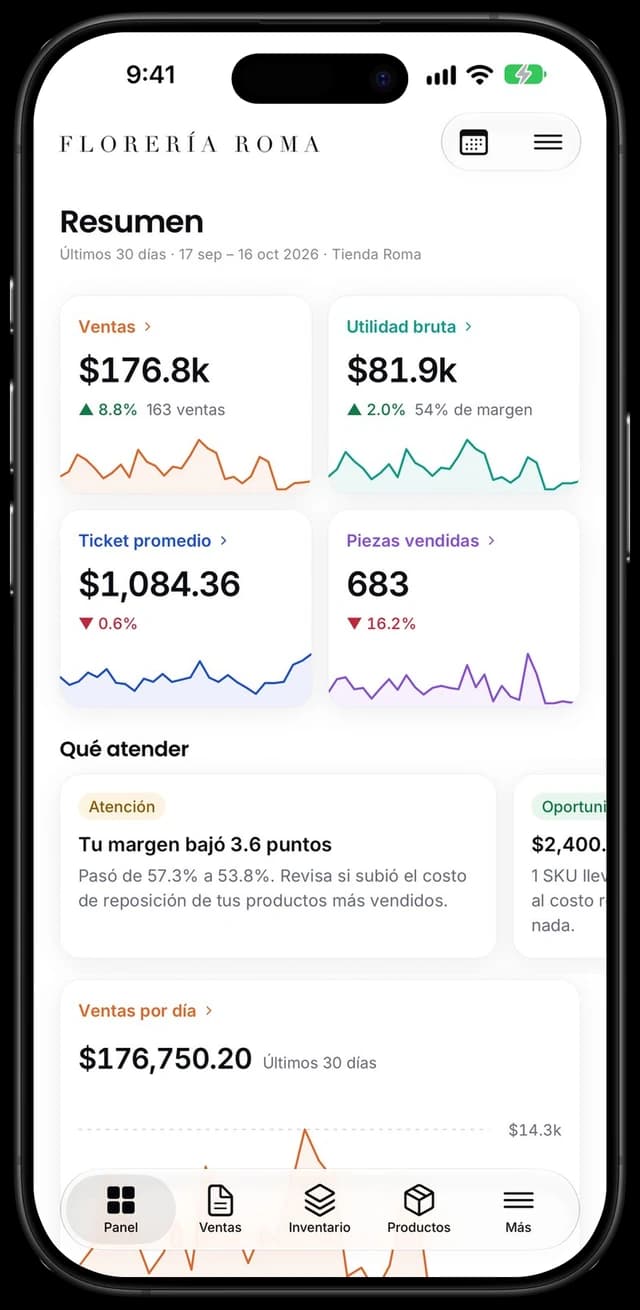
The first thing you see isn't a chart: they're sentences with a number. "Your margin dropped 3.4 points, discounts took $18,240."
Compared with before
Whatever period you pick against the same days earlier. No math required.
Which ones make you money
Every product in one of four groups, by how much it sells and how much it leaves you.
Which part of your catalog carries you
How many products make 80% of your sales. Almost always fewer than you think.
How fast each thing moves
How many times a year your whole inventory sells, and how many days it takes you to move it.
When you sell
Which day and what hour. That's how you know when it pays to have someone else on the floor.
Your customers
New ones and regulars, what each one spends, and how much of your sales your five biggest bring in.
Discounts and returns
How much you gave in discounts, what that cost you, what came back and why.
Every report, with its detail
The headline lives on the analytics screen; below, each one opens on its own page with the full table, sortable and exportable.
Every one of these headlines opens on its own page, with the full table, sortable and exportable to Excel and PDF.

Your money
See what you really made, with taxes kept separate.
What you really made
What you sold before tax, what that merchandise cost you, your expenses and what was left at the end. For whatever period you choose.
Expenses by category
Rent, payroll, utilities, advertising, fees, freight and supplies. The list is closed so that grouping actually means something.
An estimate of your taxes
With the rate you set, and only if you made money. It's a preview: good for checking on the month, not a replacement for your accountant.
Sales tax, kept apart
What you charged your customers and what you paid on your purchases, with the balance between the two. It's neither your sales nor your expense.
Everything to Excel and PDF
Sales, stock, movements, customers and every report. Whatever you have filtered downloads clean.
Your account
Your business, on all your devices.
One account, several devices
Sign in with the same account on your phone, tablet or computer, depending on your plan, and everything syncs on its own.
Switch phones without losing anything
Your inventory, sales and customers live in the cloud. Sign in on the new phone and they're all there.
You decide where it's open
If you hit your plan's device limit, move your account to the one in your hand with a single tap.
Your business details
Logo, address, phone, tax ID and the terms printed at the bottom of every ticket and receipt.
The app's color
Pick one of ten and the whole app takes it, buttons and charts included.
Your plan, without calling anyone
Upgrade, downgrade or cancel from the app. Upgrades start right then; downgrades at the next billing date.
The Arca community
Businesses like yours already run on Arca
They left the notebook and the spreadsheet behind, and now know what they have, what they sell and what they make.
What businesses that use it say
No contract. Cancel anytime.
Day to day
Use it from your phone, your tablet or your computer.
In the browser, nothing to install
It takes no space and there's nothing to keep updating. Sign in from any device with your email.
Two devices selling at once
The math happens on the server, so two devices can log sales at the same time without the numbers clashing.
All your stores at a glance
See the whole business or switch to a single store, and the whole app follows you.
Your data is yours
It lives encrypted and backed up, and it comes out to Excel or PDF whenever you want.
Try it with your own products
Load what you have today and log your first sale the same afternoon.
From $299 MXN a month · No commitment